
Knowledge and ability are two different things. Knowing is not doing. The trying, failing, testing and experimenting is where the improvement actually lives — and every minute spent looking something up is a minute you are not playing. Not wasted by any means, but easily misspent.
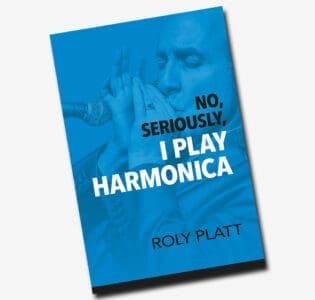
I wrote that in my book, and then went about designing harmonica software — sounds like I might be contradicting myself.
A time machine
Saving time is what Fab Tabs was built to do. You play the lick; it writes the harmonica tabs as you go. No typing, no hand-written notation. Work something out by ear the way you should, and have it written down automatically — then watch the tabs automatically transpose across various positions.
More playing, less stopping to document every note — that was the point, initially at least.
Seeing what I could only hear
There’s a secondary purpose that emerged in Fab Tabs, and this one stems from my own limitations. I don’t read music. Never learned. I’ve done okay in spite of that, but there’s no question it limits me — playing things without ever fully seeing or understanding what I was playing — how notes laid out on harp, how all things are logically related to everything else.
So I wanted Fab Tabs to show me some of that information — the scale degrees and notes alongside the tabs, the same lick mapped out in 1st, 2nd, 3rd, 4th, 5th or 12th position. Not to replace your ears — to help explain to your head what your ears already know. Seeing these musical elements sit underneath a lick you just played tends to shorten the absorption process considerably. I welcomed that.
These added musical grids end up as powerful learning tools without ever taking centre stage. The visuals sit comfortably alongside the audio — you absorb it at your own pace — simply by using the program.
Still ears first. The screen is just informing.
Awkward statements
In that same book I take a fairly firm line on harmonica players who learn their bends by staring at a tuner. My exact words were that while we’re busy wining and dining our eyes, our ears are relaxing on a beach in Cancun, sipping a cocktail.
I stand by that. Which makes it a touch strange that I’ve built a harmonica-friendly tuner into this program. My defence is that a tuner is a fine tool for checking and a poor one for learning.
First, let me be clear about what I was objecting to. It’s that a tuner might answer the question before your ear gets a chance to. You’re not so much hearing what a flat 3-draw sounds like as focusing on what the needle says. Use it to confirm where a bend actually sits on a particular harp, then put it away and match the note by ear against a keyboard.
Check with your eyes, learn with your ears.
What the software can’t give you
What software programs can’t give you is feel.
Feel only comes from playing — and you don’t need anything fancy for that. Just play to tracks. Full band mixes, backing tracks, and live on stage wherever you can. Play along with records you love until you’re not thinking about where the beat is any more.
That’s where feel comes from. Time, phrasing, the space you leave — none of it is in a program, and none of it ever will be.
So where does the technical wizardry come in? As a tool, not a substitute. When you play something good and want to know what it was, that’s the moment for a program: get the notes down before they’re gone, see the holes and the bends, play it back against a click and hear where you were pushing or dragging. Then close the laptop and go and play it again, to a track, until it’s yours.
The tools are there to serve the playing. Never the other way round.
Try it on your own playing
Fab Tabs runs in your browser — nothing to install, one-time licence, no subscription. It writes your harmonica tabs in real time, marks blows, draws, bends and overblows, plays your own recording back in sync, shows the scale degrees, transposes between positions, and comes pre-calibrated for all 12 keys.
There’s a full 5-day free trial. Play something into it that you already know well — that’s the fairest test. And time your next practice session honestly. That number is the argument.
Want the lick off a record rather than out of your own head? Tab-Grabber lifts a harmonica, sax or trumpet solo straight off a track and writes the tabs, then hands them to Fab Tabs with a click. There’s a bundle if you want both.