
I didn’t set out to be a software designer.
But I kept hitting the same problem: I needed tabs written out — intros, horn lines, melodies — to print for gigs and for students. Things I’d worked out at home but wanted on paper. I wanted that easier, and a lot faster.
I also don’t read music. Never learned. I’ve managed fine, but it left a gap: I could play things without really seeing what I was playing — how the notes related to the scale, why a run worked, why some don’t.
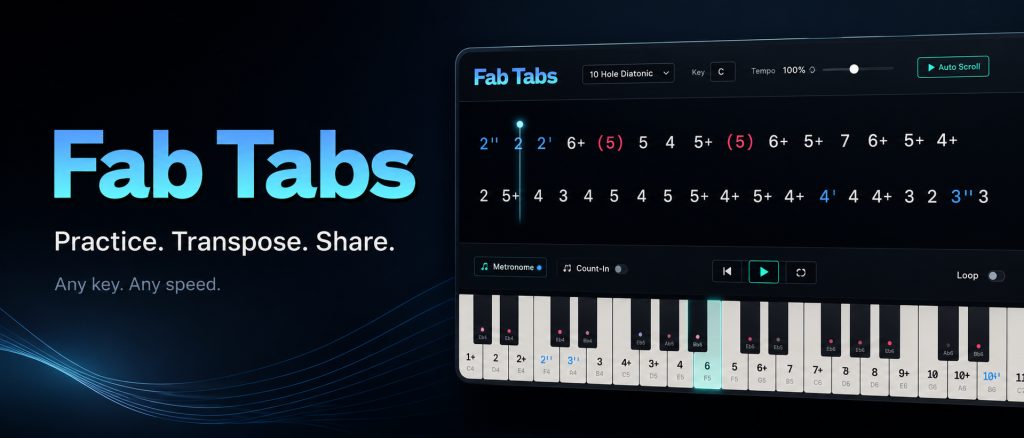
Those two wishes turned out to be one. I didn’t just want the tabs written down — I wanted to “see” the music underneath them. So I built Fab Tabs: it listens, writes the tab, and shows the scale degrees in the same breath.
The big thing tabs always missed
Tabs tell you which holes. They never tell you how — the timing, the push and pull, the phrasing that makes a lick sound like the lick. So Fab Tabs plays your own recording back while each tab lights up in time. Your sound, your bends, your phrasing — with the tabs moving underneath it. That’s the part paper can’t do.
One idea led to another fifty
What I built to capture my own licks turned out to be a really good teaching tool as well. The triple display — tab numbers, scale degrees, live keyboard — makes position theory visual instead of abstract. Students see the same melody land on different holes in 2nd and 3rd position while the scale degrees stay put. The Nashville Number System, usually weeks of work, clicks in minutes.
Everything else I wanted came along: capturing a player’s actual phrasing and live harmonica sound, transposing the tabs between 1st, 2nd, 3rd, 4th, 5th and 12th; text files I can mark up and print for the stage; all 12 keys, calibrated for how harps really behave — especially on bends.
My one design rule: simplicity.
If something gets too complicated too quickly, I’m gone. I don’t think that way, and I don’t play that way.
Who it’s for
- Gigging players — tab a horn line or intro, transpose it, print it. Done.
- Non-readers (like me) and anyone who learns by ear — better understand the theory under what you already play.
- Teachers — holes, notes, scale degrees and how they connect, all at once.
- Beginner/intermediate players — even basic blow and draw works fine. You don’t need to be particularly advanced.
Runs in your browser — no install, no subscription, one-time licence. Mac, Windows, Linux; best on a desktop or laptop.
5-day free trial, full features. I’d rather you try it and decide for yourself.
Try the free trial here →